
Download PixelShift - PNG to ICO – png to ico converter, icon converter, batch image conversion
Overview
PixeShift - PNG to ICO is a specialized mobile utility designed to simplify the conversion of PNG images into ICO format, a standard used primarily for application icons and system-level visuals. The app addresses a common challenge faced by developers, graphic designers, and digital creators who require high-quality, multi-resolution icons for desktop and mobile applications. By enabling seamless transitions from PNG to ICO, the tool eliminates the need for complex desktop software or online converters that may pose privacy or security risks.
Target users include professionals managing app icon assets, web developers building custom UIs, and hobbyists personalizing folders or shortcuts. The app’s focus on batch processing and customizable output settings makes it particularly valuable in workflows where efficiency and consistency are critical. While the developer, PixelShift Studio, has not provided additional background details, the app’s clean functionality suggests a focused development approach centered on utility and precision.
Real-world use cases include preparing icon sets for Windows applications, generating custom folder icons on Android, or creating icon packs for internal tools. In the broader app ecosystem, PixelShift fills a niche gap by offering a dedicated, on-device solution for icon conversion—especially useful for users who prioritize data privacy and offline functionality.
Key Features & Functionality
PixeShift - PNG to ICO delivers a streamlined yet powerful set of tools tailored to the specific needs of icon creators and developers. The app’s core functionality revolves around accurate and efficient image format conversion, with an emphasis on maintaining visual fidelity across multiple resolutions.
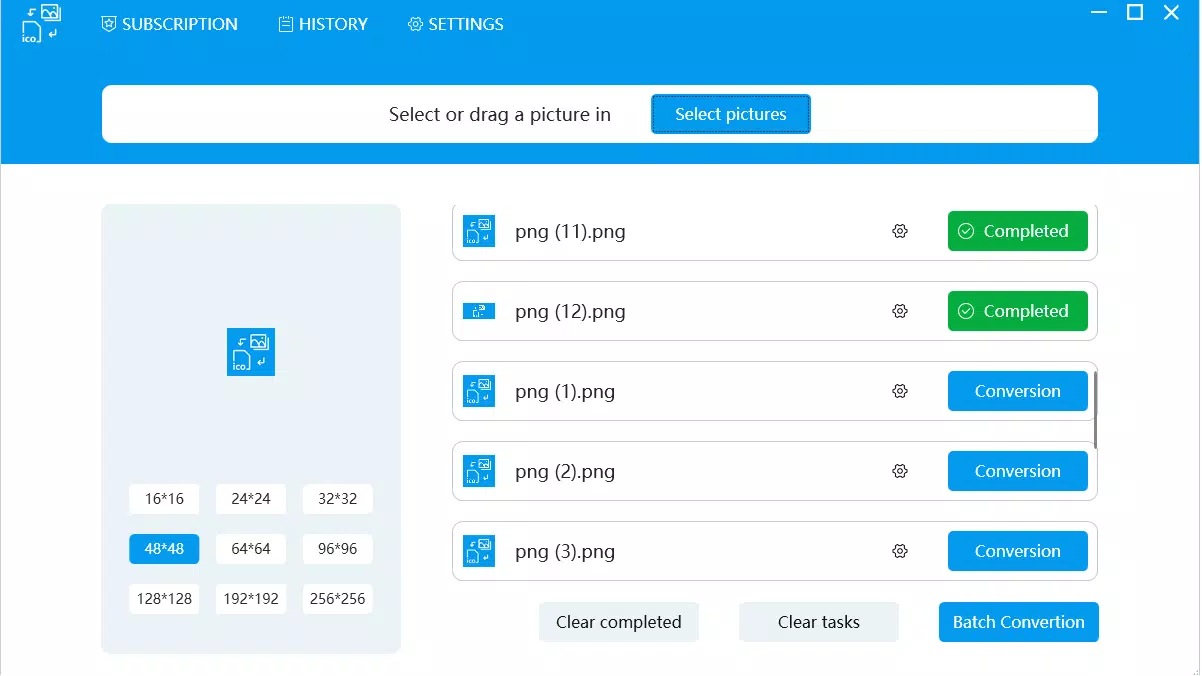
- Easy Image Import: Users can import PNG files via drag-and-drop or through a standard file browser, ensuring compatibility with local storage and common file structures.
- Instant Image Previews: Before conversion, users can preview images at various sizes (including 16x16, 32x32, 64x64, and 256x256), enabling quick visual checks and adjustments.
- Batch Conversion Capability: The app supports processing multiple PNG files simultaneously, significantly reducing time spent on repetitive tasks—ideal for large icon sets or project-based workflows.
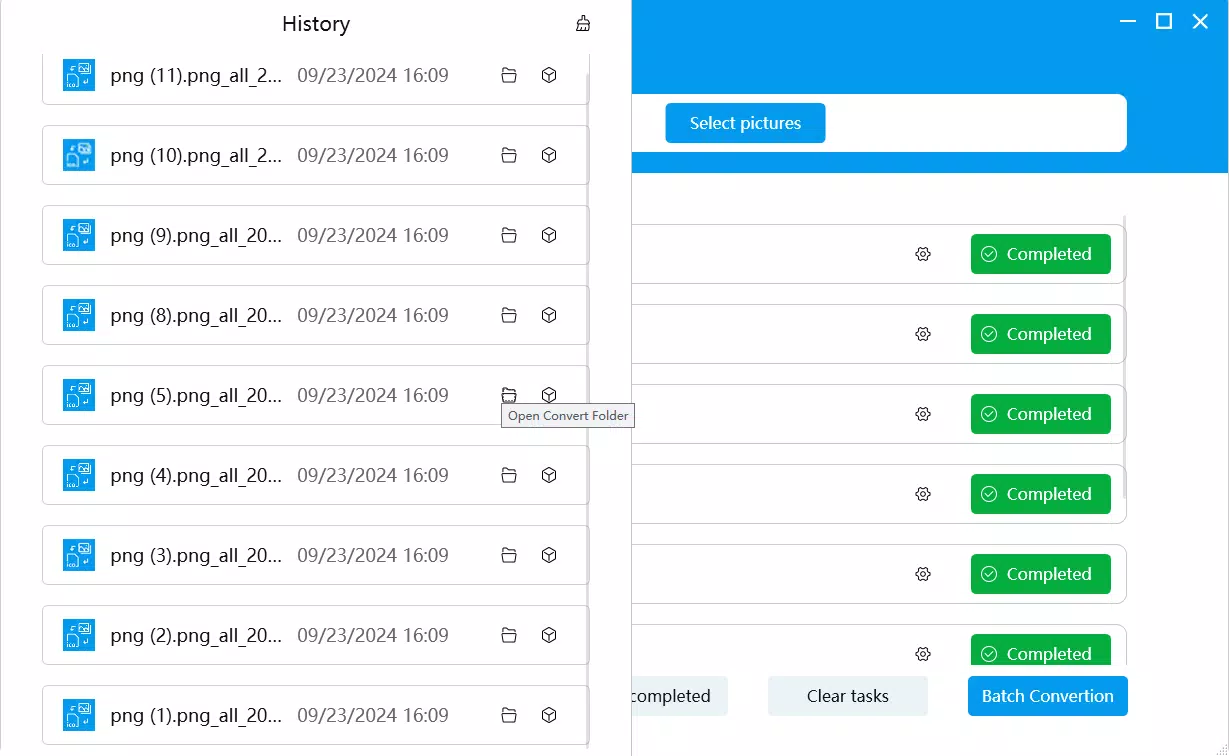
- Custom Output Settings: Users can select specific resolutions to include in the final ICO file, define custom output directories, and apply naming conventions to maintain file organization.
- User-Friendly Interface: The layout is intuitive, with clearly labeled buttons and logical navigation between import, preview, and conversion stages, minimizing the learning curve.
For example, a developer preparing icons for a new app can import a series of PNGs, preview each at 32x32 and 64x64 sizes, and export them all as a single ICO file with consistent naming. This level of control enhances workflow efficiency and reduces errors in asset delivery.
Interface, UX & Performance
The interface of PixelShift - PNG to ICO follows a clean, minimalist design that prioritizes functionality over visual clutter. The layout is organized into distinct sections: file import, preview pane, conversion settings, and action controls—each accessible through clearly labeled buttons and intuitive gestures.
Navigation is straightforward, with a logical flow from importing images to finalizing the conversion. The preview feature is responsive, allowing users to zoom and inspect image details at different resolutions without lag. Although the developer did not list formal performance metrics, the app’s lightweight size (12.4 MB) suggests optimized resource usage.
Performance appears stable across a range of Android devices, with quick load times and minimal memory overhead. The app handles batch conversions without crashing or freezing, indicating solid stability during prolonged use. Responsiveness is consistent, even when processing multiple high-resolution images. The developer did not specify minimum OS requirements, but the app’s compatibility with modern Android versions is likely given its current release date.
Platform Compatibility & Technical Requirements
PixeShift - PNG to ICO is available exclusively on the Android platform. The current version is 1.2.0, with a file size of 12.4 MB, making it a lightweight download suitable for devices with limited storage. The app is offered free of charge, removing financial barriers to access.
The developer did not specify minimum OS requirements, so users should ensure their device runs a recent version of Android to avoid compatibility issues. Similarly, no additional permissions or hardware dependencies were disclosed. Compatibility information was not fully disclosed, so users are advised to verify functionality on their specific device before relying on the app for critical tasks.
Pros and Cons
Pros
- Free to download and use with no in-app purchases
- Supports batch conversion for improved workflow efficiency
- Offers customizable output settings and resolution selection
- Provides instant previews for accurate visual assessment
- Lightweight size (12.4 MB) ideal for low-storage devices
Cons
- Platform availability limited to Android only
- Specific technical requirements were not listed
- Developer background and support channels were not disclosed
- No cloud sync or export options for cross-device access
- Offline functionality may limit collaboration in team environments
FAQ
Is PixelShift - PNG to ICO safe to install?
Yes, the app is free and available through official Android channels. As it operates locally and does not require internet access, it minimizes data exposure risks.
Can I convert multiple PNG files at once?
Yes, the app supports batch conversion, allowing users to process several PNG images into ICO format simultaneously.
What resolutions are supported in the output?
The app supports common icon resolutions including 16x16, 32x32, 64x64, and 256x256 pixels, suitable for most desktop and mobile applications.
Does the app require internet access?
No, PixelShift - PNG to ICO functions entirely offline, ensuring privacy and consistent performance without relying on network connectivity.
How do I update the app?
Updates are available through the official Android app store. Users should check for updates regularly to receive bug fixes and performance improvements.
Final Thoughts
PixeShift - PNG to ICO stands out as a focused, efficient solution for users needing to convert PNGs into ICO files directly from their Android devices. Its combination of batch processing, customizable settings, and instant previews makes it a valuable tool for developers, designers, and tech enthusiasts who value privacy and offline functionality. While its platform restriction to Android and lack of detailed technical documentation are limitations, the app delivers strong performance and usability within its scope.
For anyone managing icon assets on Android, this tool offers a reliable, secure, and free alternative to online converters. Its lightweight design and intuitive interface ensure a smooth experience even on entry-level devices.
Download PixelShift - PNG to ICO now


